Nano Banana
Add Giant Creature to City Image
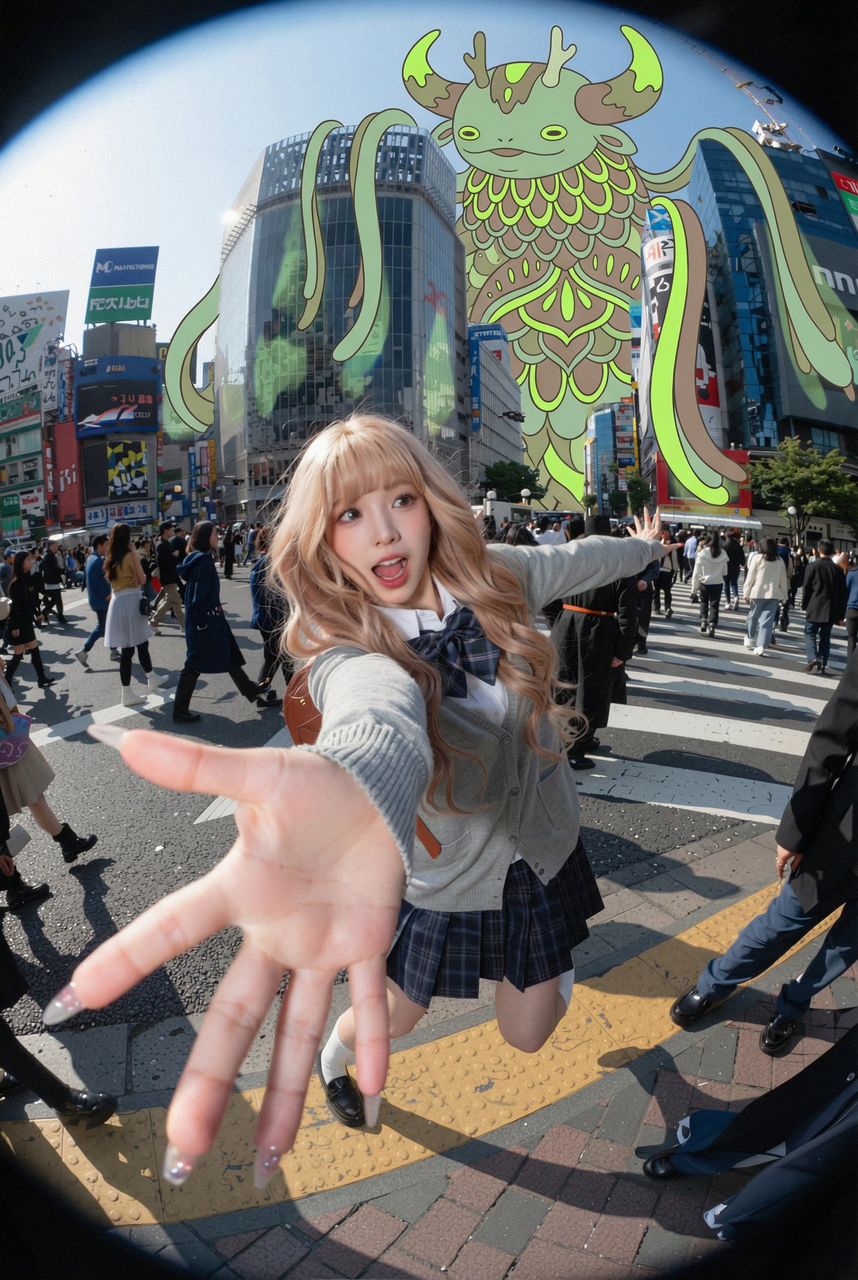
Use the uploaded city photo as the base map. Do not change the real buildings, streets, vehicles or people in the photo. Maintain the authenticity of the photo. Add a very huge, stylized illustration creature in the sky above and behind the buildings, as if it is overlooking the entire city. The creature should be drawn in a flat graphic style, with clear outlines, and use limited neon colors (such as soft neon green, neon yellow and lime green), similar to murals or poster illustrations.
Creature Design:
- Fantasy whimsical world, not horror or violent
- Composed of layered shapes, scales, hair or floral patterns
- Long arms or hair hanging beside the buildings
- Huge horns or other peculiar features clearly visible against the sky
Fusion with photo:
- Place the creature behind the edge of the building, making part of its body appear behind the edge of the building, pay attention to perspective relationship
- Use correct overlapping methods: building edge in front, creature behind, making it blend into the scene
- If necessary, add very soft shadows or color reflections on the surface of nearby buildings, but keep it subtle
- Maintain the original brightness of the sky, making the illustration clearly stand out
Optional:
- Add some small, simple illustration figures (flat, minimalist style) on the street, such as walking a dog or crossing the road, but do not block real people.
Overall atmosphere: Dreamy surreal city scene, a huge, friendly illustration creature appears above realistic buildings, combining real photos with simple modern illustrations.